
1. Visit the ACCESS HRA website by going to: http://a069-access.nyc.gov/
IMPORTANT: For the best experience possible, make sure to access the website on a PC; mobile browsers on phones or tablets may not work correctly.
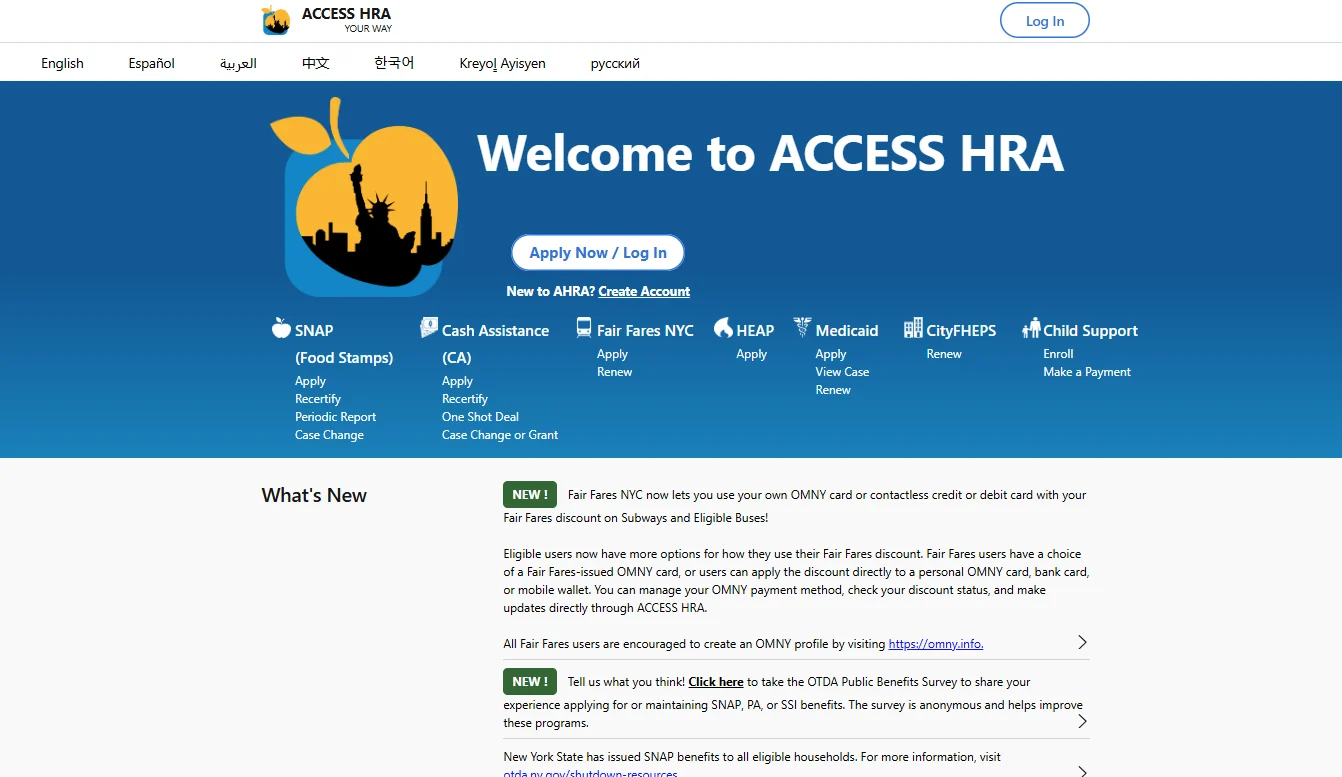
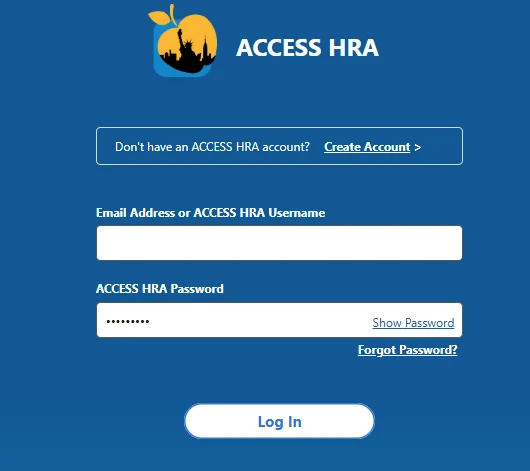
2. Click on “Apply Now/Login” and enter your username and password.
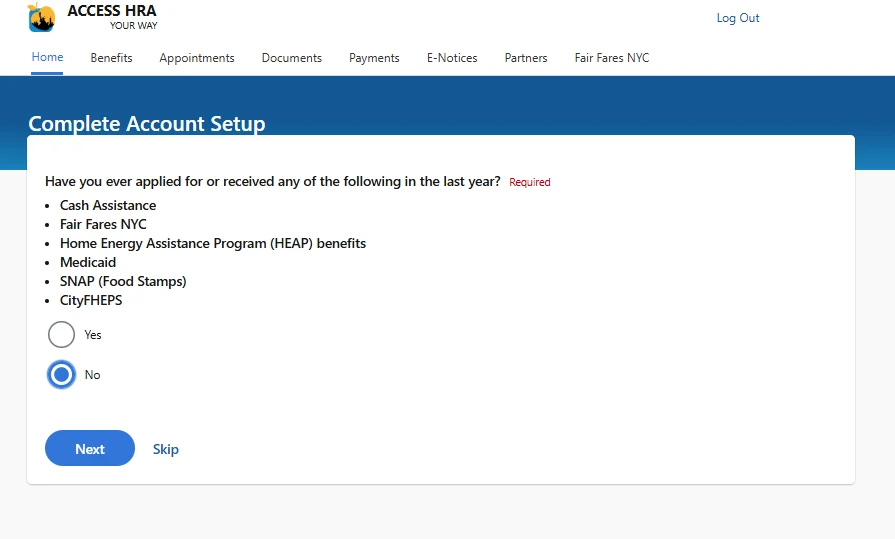
3. If it’s your first time applying for benefits, select “No” when asked “Have you ever applied for or received any of the following in the last year?”
IMPORTANT: If you’ve ever had benefits, received HEAP, or if you’re recertifying your case, select “Yes” and try to find your case using your Social Security Number, Client ID number (found on the front of your NYC EBT Benefit Card), OR Fair Fares ID number, along with your date of birth.
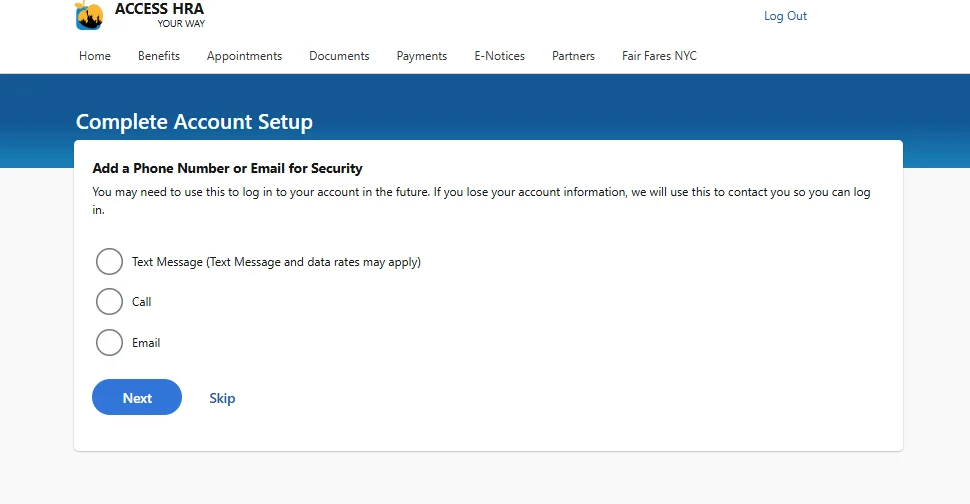
4. In the next screen, you’ll be prompted to add your email or a phone number so that you can receive a call or text in the event that you lose access to your account – while not required, it’s recommended that you do this to keep your account safe. If you wish to provide one of those, select what you want to provide and hit, “Next” Otherwise, select “Skip.”
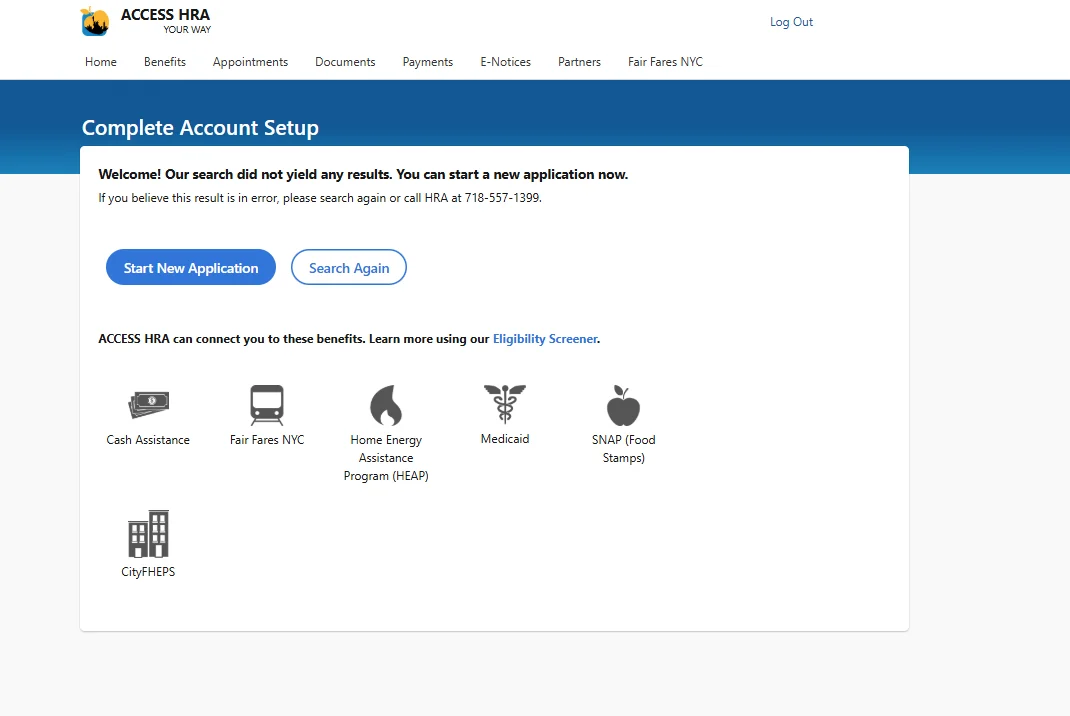
5. When account setup is complete, you’ll be prompted to either search again, or start a new application. Select “Start New Application”
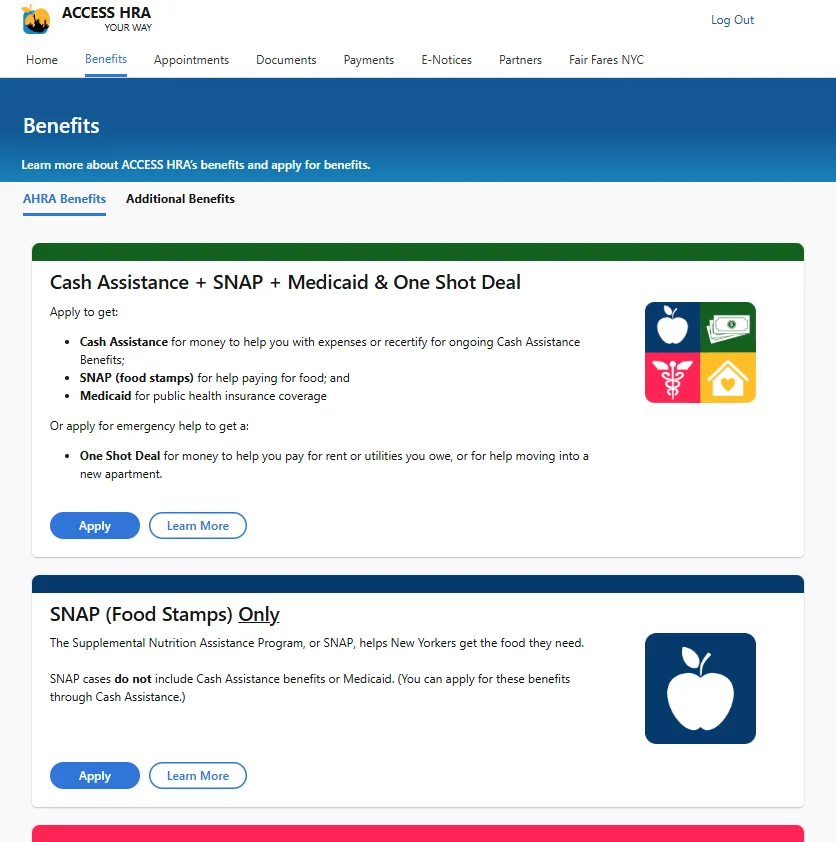
6. You’ll be taken to the “Benefits” page. Once there, look for the “SNAP (Food Stamps) Only” option and click “Apply”
7. On the next screen, you’ll be taken to the SNAP Application Instructions page. Click “Next” to begin the application process.
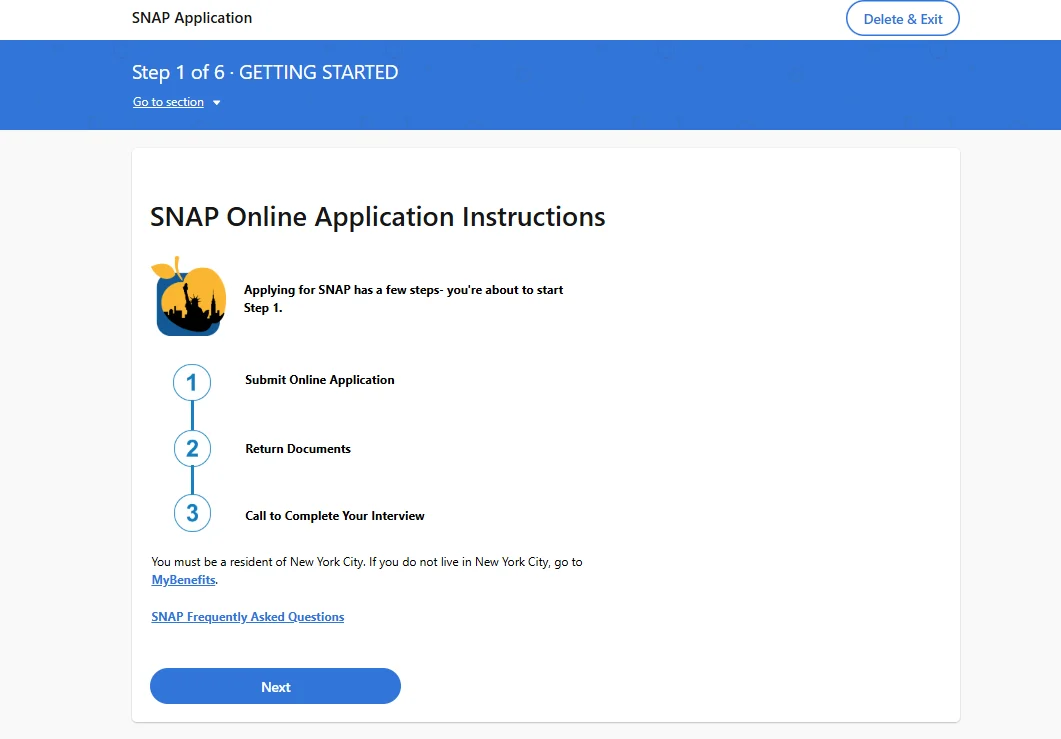
8. In the application, you’ll need to provide information about
- Household Members
REMEMBER: Anyone that buys, shares or prepares food together needs to be on the case together.
- Income from all sources including for every household member, including:
- Money from Employment
- Money from Unemployment Insurance Benefits
- Money from Child Support
- Money from Social Security
- Money from Outside Organizations/Persons.
- Money from Other Sources
- Expenses
- Utility Costs, such as electricity, gas and water.
- Rent
- Child or Dependent Care Costs
- Medical Expenses if you have a household member who is elderly or that has a physical or mental condition that impacts daily life and their ability to work.
9. The online application will guide you through each section, and you’ll progress by hitting “Next” at the end of every section. When you reach the last section (the “SUMMARY, SIGNATURE & SUBMISSION” section), you’ll be asked to review the application.
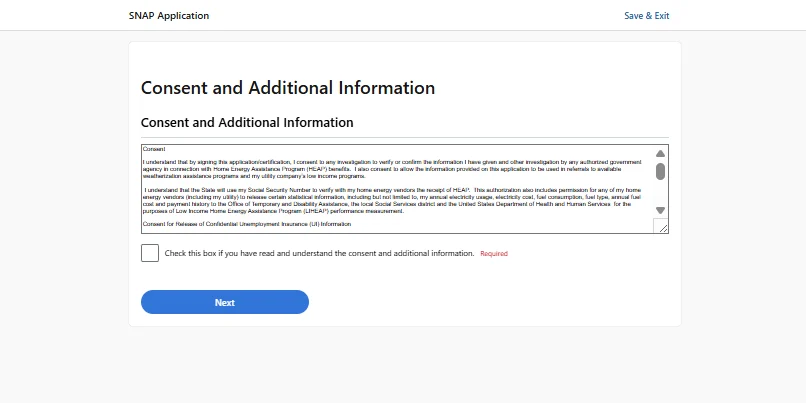
10. After reviewing the Summary Section, hit “Next.” You’ll be asked to review some Consent and Additional Information. Once you’ve read through the disclosures, click the checkboxes to confirm that you understand and consent to each of them.
IMPORTANT: You’ll be asked if you’ve appointed someone to act as an Authorized Representative on your behalf. If you have, you’ll select “Yes” and fill out information
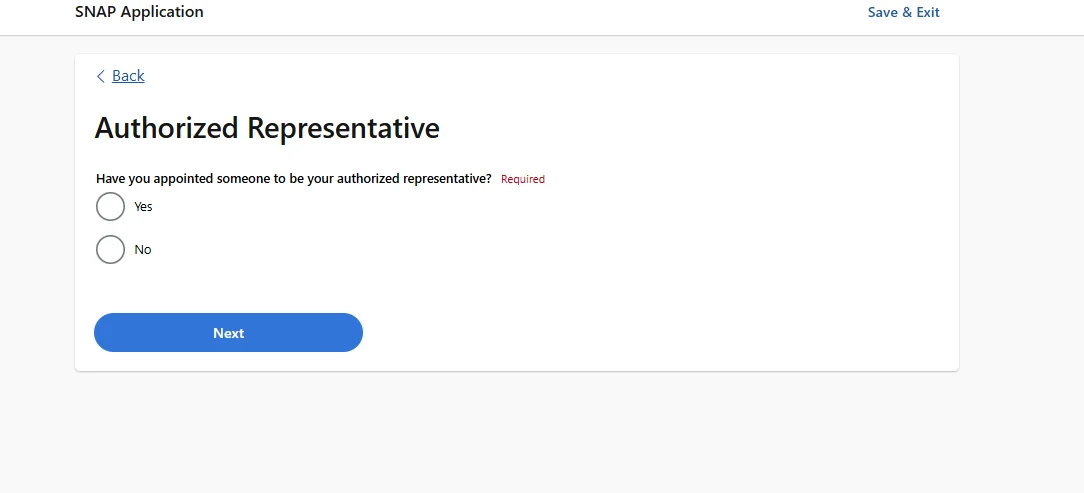
About the person you’ve chosen. If not, select “No.” In both cases, click “Next” to move onto the next section.
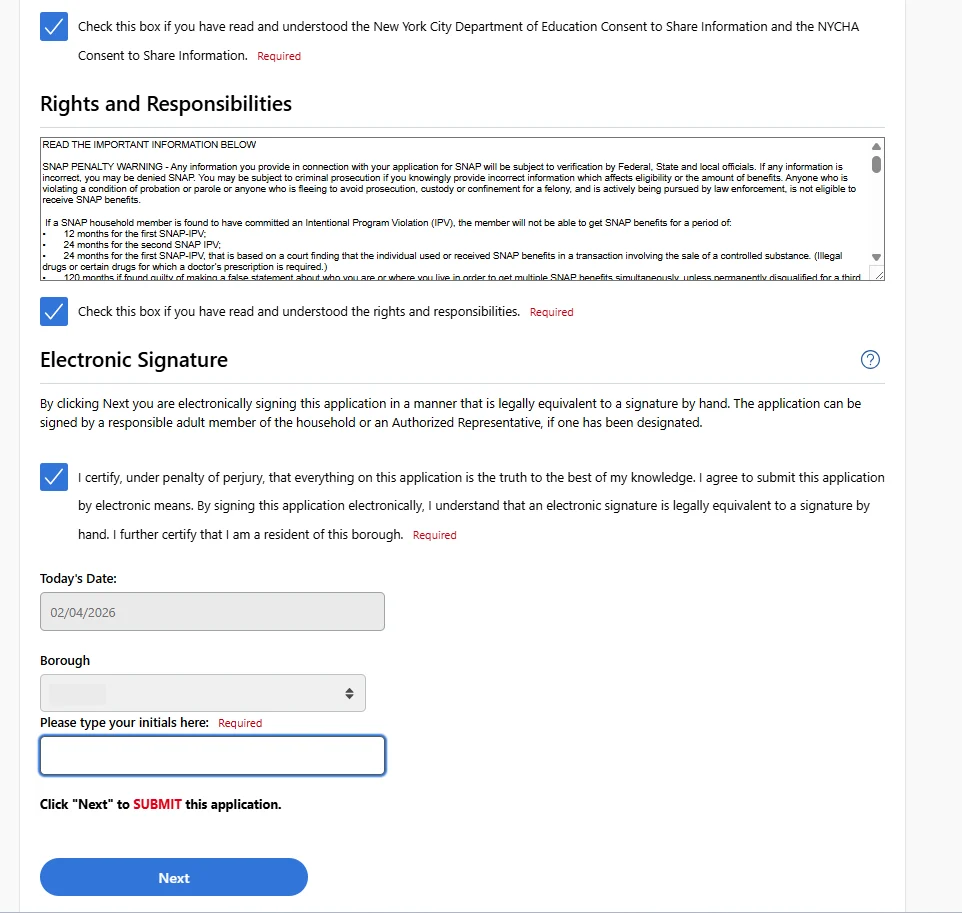
11. Finally, at the bottom of the page, you’ll be asked to certify that everything in the application is true to your knowledge. Then, you’ll enter your initials and hit the final “Next” button. This will submit your application.
12. Once submitted, a page will come up with your Confirmation number and a list of documents that you’ll need to return to the agency.
REMEMBER: Documents can be uploaded via the Access HRA Mobile App! Once all documents are uploaded, make sure to call 718-762-7669 to have you SNAP Interview On Demand. The Interview Line is available Monday through Friday, from 8:30 am to 5 pm.
Additional Resources
Share with your network!
SNAP Call Center
Phone: (212) 894-8060 | Monday – Friday: 9 AM – 4:30 PM | Languages: English and Spanish | Email: snap@foodbanknyc.org